A canvas beside the conversation
Superseded the same day. This describes the tile grid that shipped in the morning; by the end of the same day it had been replaced by a single live, versioned artifact. Release notes 2026-09-15 — vocion-core#333.
Update, later the same day — this post describes a design that has been replaced.
The tile grid below shipped this morning as vocion-core#333. By the end of the same day it had been replaced, deliberately and in full, by a single live artifact open beside the conversation — one thing at a time, edited in place by both the agent and the person, with a version for every change and a browsable log. The replacement, vocion-core#354, merged onto the same release branch and is in the deploy that is running now.
Read One live artifact beside the conversation instead. It says what the grid got wrong and why. Everything below is left as written, as the record of what shipped this morning — but the grid, the empty tiles,
place_tileand thetile_slotparameter are gone, and/dashboard/canvasesnow answers with a 308 to/dashboard/artifacts.
Status: shipped. vocion-core #333 is running. Merged onto the release branch release/2026-09-15-rail (7db4f7f6) and deployed to a deployment we operate; migrations 0094–0099 are applied. There is no feature flag; the routes, the tools and migration 0095_artifact.sql went together. The pull request is still landing on main individually behind that release branch.
When you ask an agent to pull together a picture of something, the answer arrives as a wall of text with a markdown table in it. You read it once, you scroll past it, and tomorrow you ask again.
A canvas is the same answer as a page.
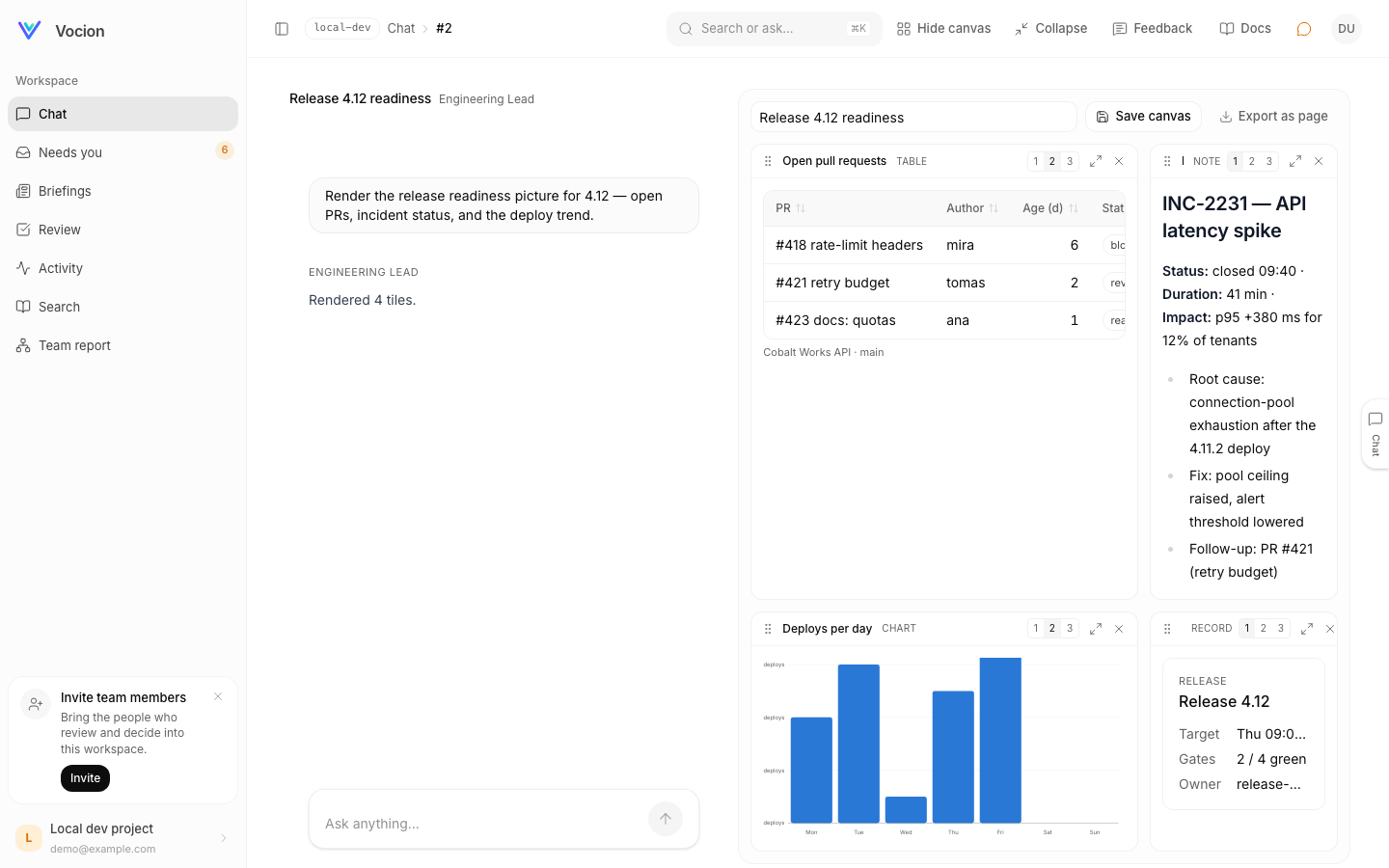
One question — "render the release readiness picture: open pull requests, incident status, and the deploy trend" — and four tiles. Each one is a real object, not a screenshot of one.
What you can do with it
Sort a table by clicking a column. The agent does not draw a table; it calls render_table with rows and typed columns, and the renderer does the rest. The column contract is a zod schema in packages/core/src/libs/cards/specs.ts:
{
  key: string;
  label?: string;
  type?: 'text' | 'number' | 'currency' | 'percent' | 'date' | 'badge' | 'link';
  hrefKey?: string;
}
That type is what makes dates format, numbers right-align and sorting compare correctly. packages/core/src/libs/cards/firstParty/dataTable.tsx builds the table on tanstack.
Rearrange the tiles. Drag them, or move them with the keyboard. Each tile is one, two or three columns wide. The grid and its pure reducer are features/dashboard/canvas/CanvasGrid.tsx and canvasReducer.ts, the latter with its own unit tests, so a move is testable without a browser.
Fill an empty tile by typing into it. An empty slot (EmptyTile.tsx) is a prompt: type into it and the message goes through as Fill tile 3: …, the model passes tile_slot: 3 on its render call, and the card lands in that position.
Hide what you do not need. Tiles come back from the canvas list.
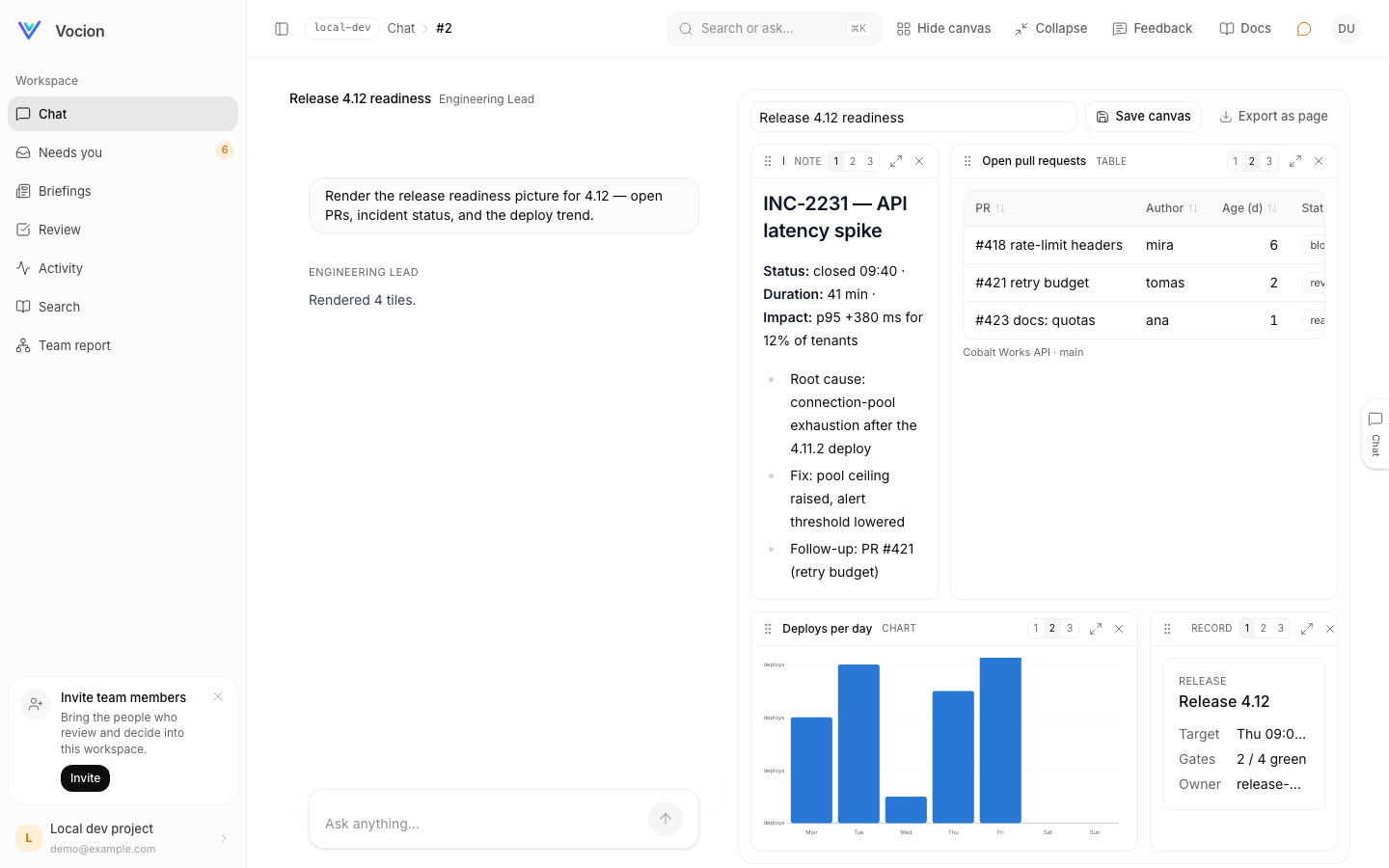 The canvas stores a layout, not a copy of the content — so moving a tile does not re-ask the question.
The layout is one jsonb column on the canvas row, typed Array<{ artifactId: number; slot: number; span: 1 | 2 | 3 }>, with the content living in the artifact rows it points at (packages/core/migrations/0095_artifact.sql). Placing tiles, saving a canvas and listing canvases are separate handlers on packages/core/src/routers/Artifacts.ts — placeTiles, saveCanvasRoute, listCanvasesRoute — so a rearrangement writes a layout and nothing else.
Keep it. Save the canvas and it gets a name and a place in the sidebar. Export it as a page when you want to hand it to someone.
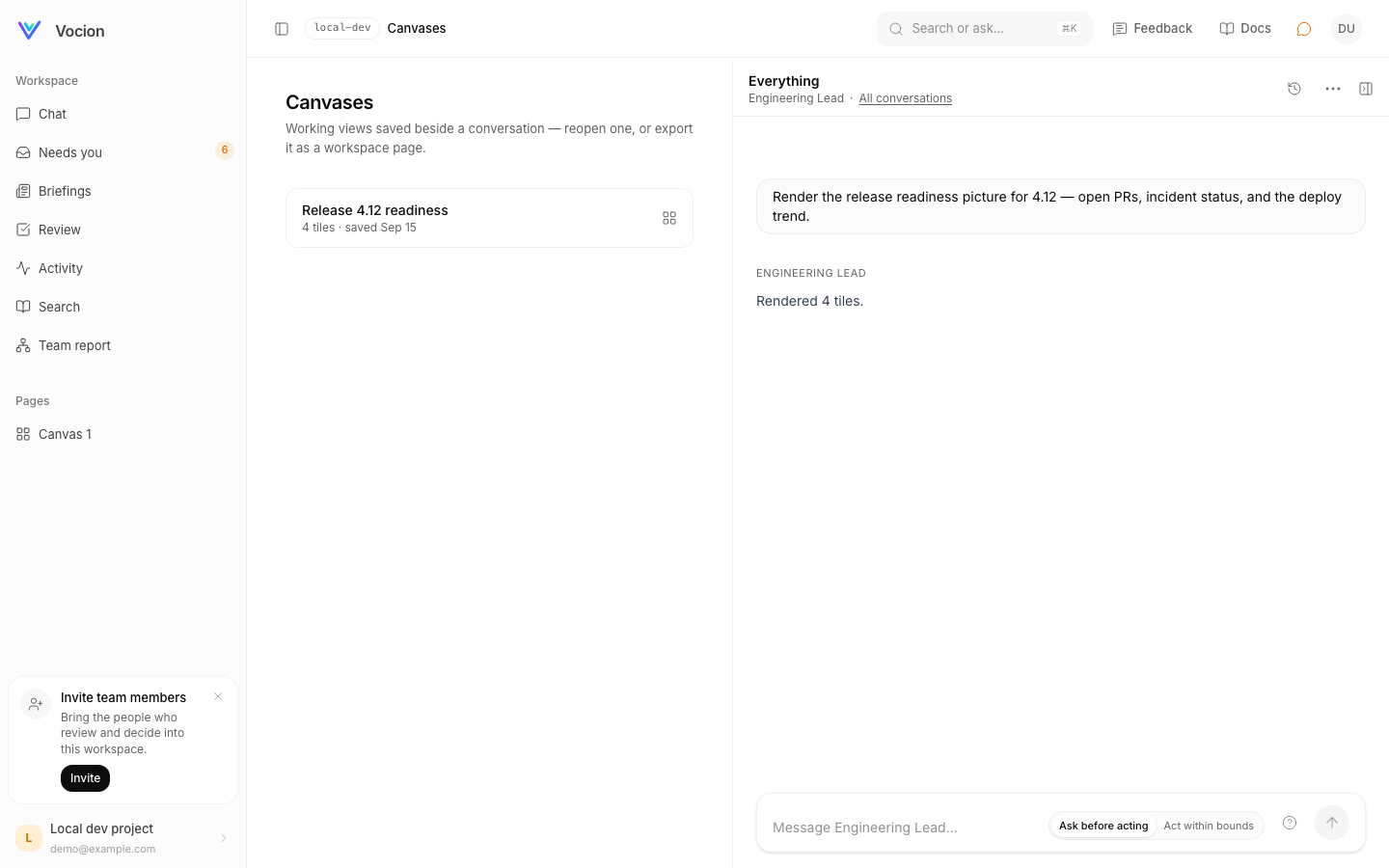 A canvas is a durable thing in the workspace, not a view of one conversation.
Why it is not just prettier chat
Because the same tile shows up everywhere the platform shows content. A card declares the surfaces it may appear on, and there is one renderer for all of them:
// libs/cards/firstParty/chart.tsx
export const chartCard = defineCard({
  slug: CHART_SLUG,
  name: 'Chart',
  surfaces: ['chat', 'canvas', 'workflow-run', 'review-queue', 'activity-feed'],
  dataSchema: chartSpecSchema,
  Renderer: ({ data, surface }) => <ChartCardView data={data} surface={surface} />,
});
Density is a function of surface, not a second component — the table shows eight rows in a conversation (CHAT_ROW_LIMIT) and all of them on a canvas. And because these are rows rather than text, an agent that renders a chart is not describing a chart in words and hoping you can picture it.
Files attached to an artifact are served through an authenticated route that checks which workspace you belong to. The detail of that — and the mistake that prompted it — is in Artifacts as data, and an authenticated route.
Where this lives in the repo
vocion-core#333, shipped on release/2026-09-15-rail at 7db4f7f6 (the canvas commit inside it is 9023ca3a) and merging to main individually behind it.
- Canvas UI:
packages/core/src/features/dashboard/canvas/—CanvasView.tsx(which carries the Save canvas and Export as page controls),CanvasGrid.tsx,ArtifactTile.tsx,EmptyTile.tsx, and the purecanvasReducer.tswithcanvasReducer.test.ts - Tools:
packages/core/src/services/agents/tools/renderArtifacts.ts - Card schemas and renderers:
packages/core/src/libs/cards/specs.ts,libs/cards/firstParty/ - Handlers:
packages/core/src/routers/Artifacts.ts; servicepackages/core/src/services/ArtifactService.ts - Schema:
packages/core/migrations/0095_artifact.sql - Docs:
docs/canvas.md
Related: One card, every surface and One conversation surface on every page.
Superseded by One live artifact beside the conversation.