Apps · GTM · Decks and docs
Decks and documents Vocion builds, edits and prints.
A deck is a client deliverable beside the document. Vocion drafts it from the deal's data room, checks every slide in a real browser, lets you edit it in place and prints the PDF. Any editor you already use is an option, never a requirement.
- 01
Enough on its own
Draft, edit, present and print without leaving Vocion.
- 02
Checked like a document
Every slide is rendered, audited and read as the buyer.
- 03
Any editor is optional
PowerPoint, Word, Google or an assistant, and back.
Build
From the data room to a sent PDF.
Vocion writes the deck from what is filed about the deal. Click text on the slide to change it, reorder slides, add one from your slide library, or ask in chat. Present full screen with notes in a second window, then print the PDF. Every change is a version you can undo.
- Same checks as a document
- Render-verify, the red team and the export gate.
- Your slide library
- A workspace supplies its own slides and house playbook.
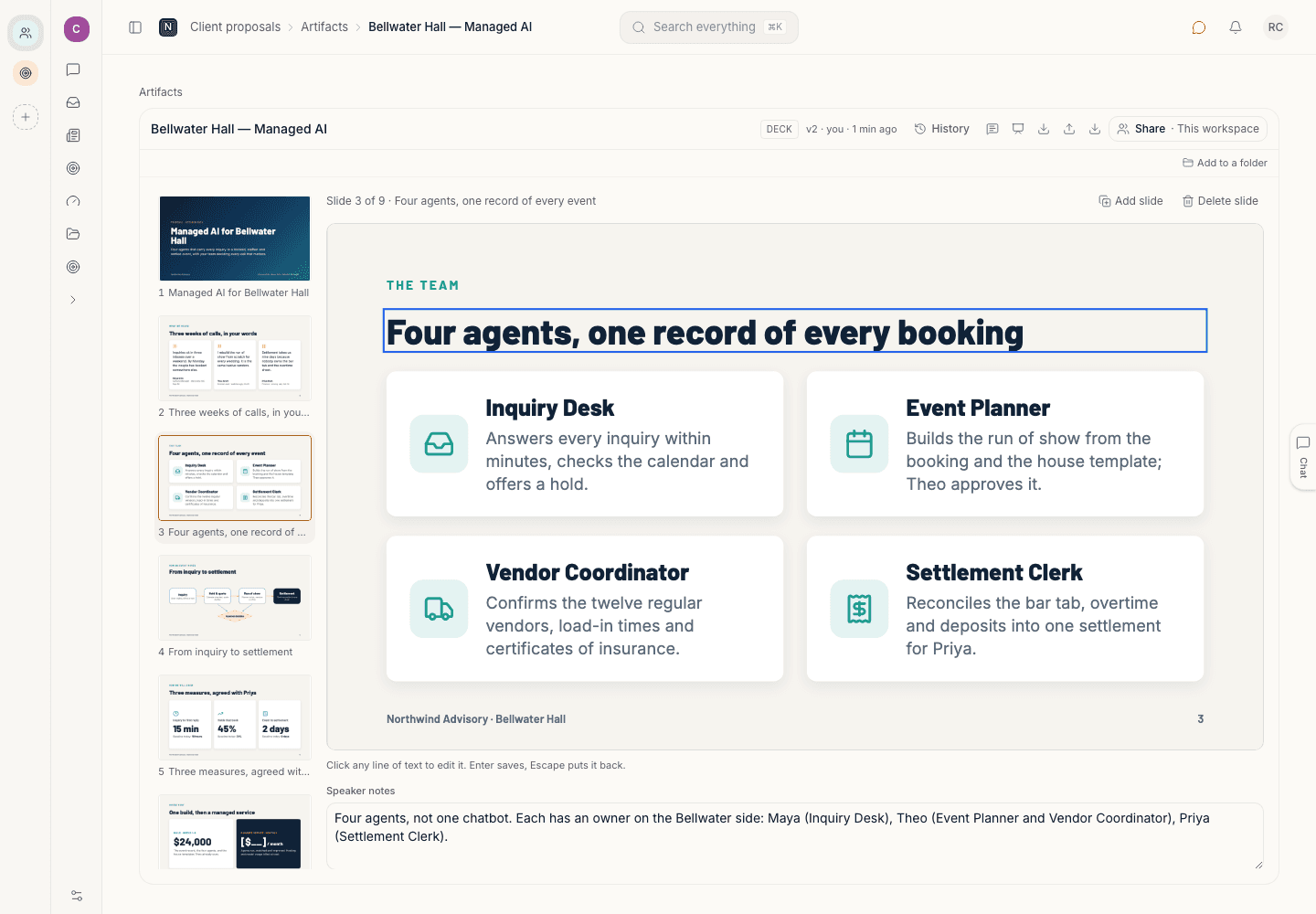
Out and back
Use another editor when it helps.
Export to PowerPoint, Keynote or Google Slides, and documents to Word, Google Docs or Pages. Or check a deliverable out to an assistant such as Claude or ChatGPT over MCP. What comes back is always a new version, audited again, with a report for each slide. Text edits are merged into your original slides, so the design survives.
- A stale file is refused
- With a diff of what changed in Vocion since you left.
- The PDF is always Vocion's
- No adapter sits on the path to print.
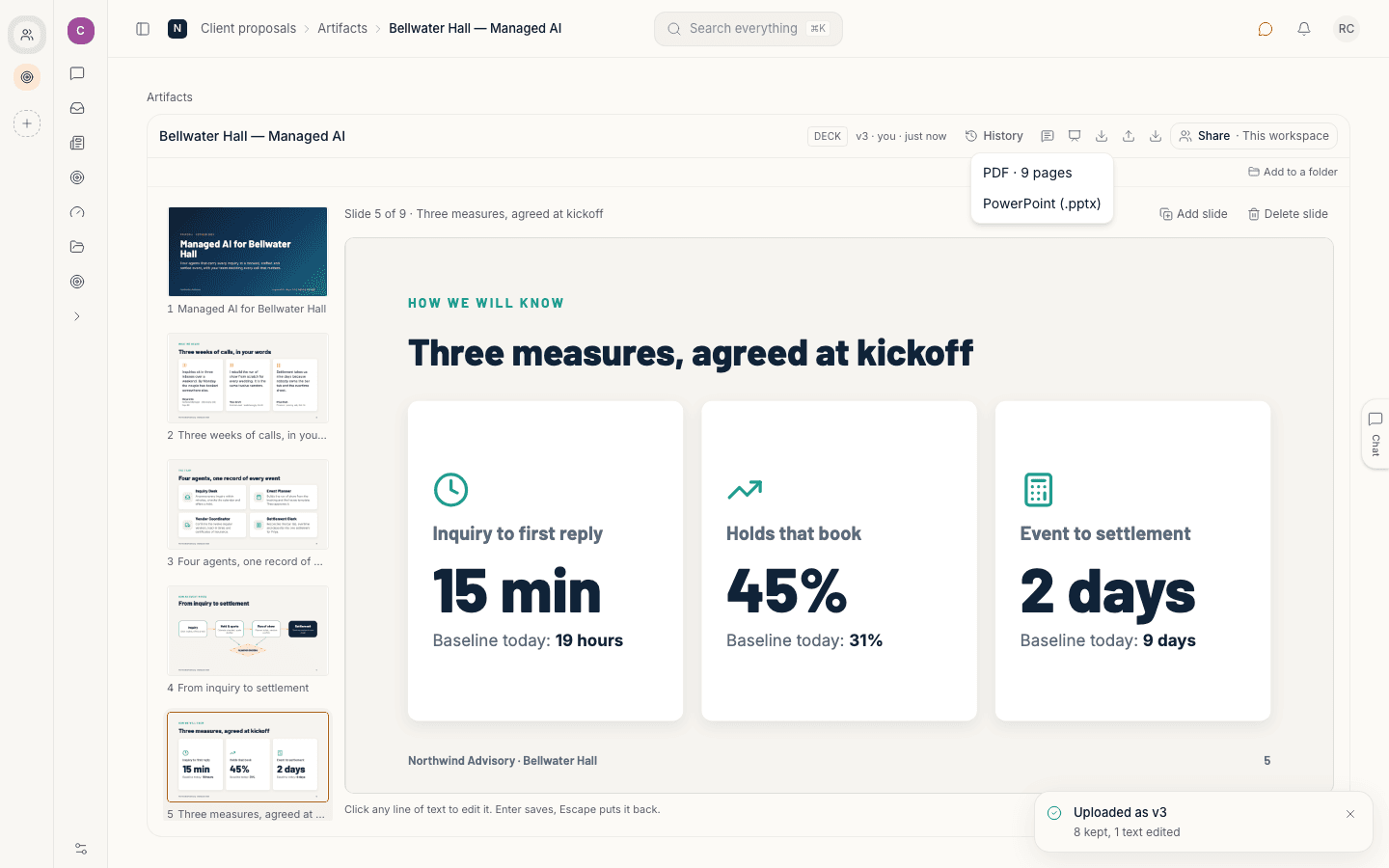
Checked
Every slide is rendered and read.
Each version is rendered in a real browser and audited: content off the slide, text too small to read, a placeholder still open, a slide with no speaker notes. What it finds sits under the slide as advice. It never stops you printing.
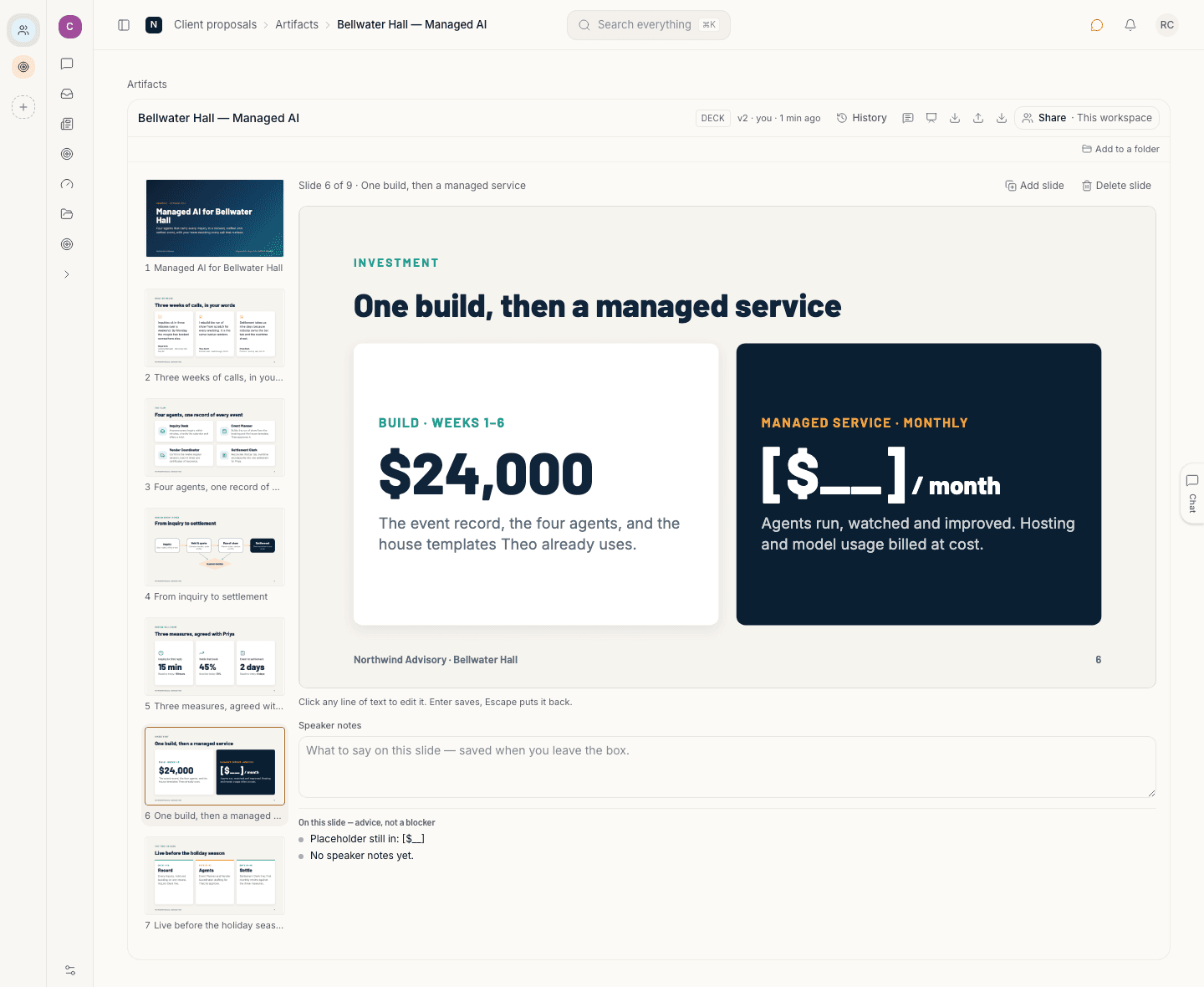
House style
Each kind of deck has its own rules.
A workspace writes its own playbook. A seller's concept deck before pricing. A priced proposal deck. A case study deck where every number is traced and quotes are held until the client approves them. The proposals plugin supplies the skill. Your workspace supplies the library and the voice.
Concept
The idea, before any price.
Proposal
Scope and price, read as the buyer.
Case study
Every number traced, quotes held for approval.
Your own
Add a playbook in the workspace.
Turn it on
Part of the proposals plugin.
Turn on GTM's proposals plugin from the Marketplace or in workspace.yaml. Decks and documents both appear on the Proposals board. No outside account is needed.
Connects to
- Google Drive
- HubSpot
- All integrations
# workspace.yaml
plugins: [proposals]Two kinds of deliverable
A deck is 16:9 slides. A document is US-Letter sheets. Both are versioned, red-teamed and gated before export.
Lossless where it can be
An untouched slide comes back byte for byte. Text edits merge into the original. Gradients, diagrams and connectors are pictures in PowerPoint.
A person sends it
Exporting sends nothing. A blocking finding holds an agent's export, and a person who asks for the PDF still gets it.
Get started
See Vocion run your team's real work.
Bring one job your team does every week. In the demo we walk through it on sample data shaped like yours, with the record it keeps.
For your team: a demo built around your job, on sample data.
For your engineers
Run it yourself
The requirements, the AWS path and the repo.