Dynamic routing with Jev: the right model, engine and effort for each run
Add a Jev key and a small decision model picks the model and effort for every turn, the engine for every factory run, and who answers a first message, from the options you allow. Without a key nothing changes.
Status: shipped. Built by Jamie Schiesel and shipped in four releases:
| Release | PR | What it added |
|---|---|---|
v7.14.0 | #1441 | The Software Factory |
v7.15.0 | #1445 | Every agent turn |
v7.16.0 | #1447 | The key card |
v7.18.0 | #1449 | The duplicate check |
The design is ADR 0006 and ADR 0007. Off until you add a key.
Before this, missions and automations ran on the agent's one model, whatever the job. Every factory seat ran on its one engine, so a typo fix and a refactor went to the same place. In chat, effort levels already moved a turn between the fast, standard and strongest model. But a small classifier made that call, and it chose only among those three.
Now, before a run starts, Vocion can ask Jev, TypeSafe's decision model, three things: which agent (or, for the factory, which engine), which model, and how much effort. Jev doesn't write the answer. It returns a choice with a probability, in well under a second, for a fraction of a cent, and Vocion does the work. That is why it can choose for engines like OpenHands that run their own model loop. A packaged router that writes the answer itself couldn't.
What you can do now
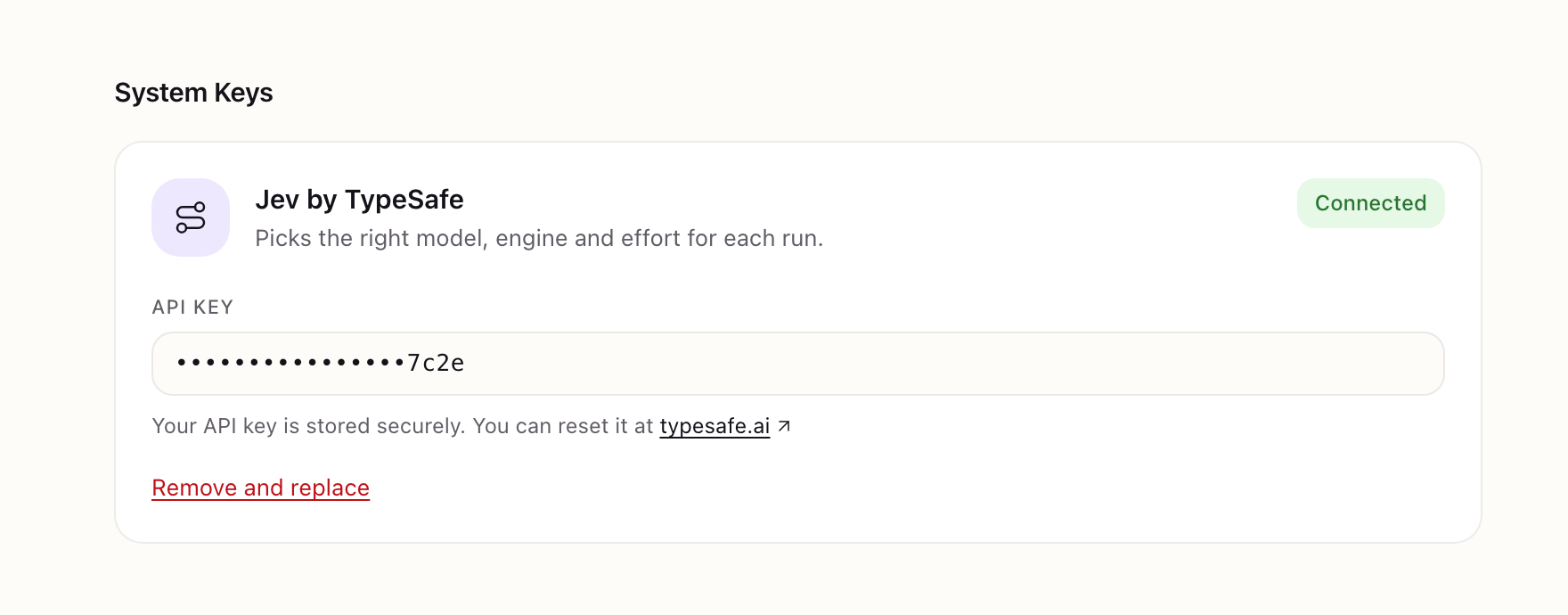
- Turn it on with a key. Paste a Jev (TypeSafe) API key into System → System Keys for the installation, or Developers → Workspace Keys to override it for one workspace. A workspace with its own key is tracked and billed on its own TypeSafe account.
- Give agents options. List the models an agent may use in
routeModels, each with what it's good at and its relative cost. Jev picks the cheapest one that covers the request, plus an effort. With no list, Jev sets only the effort. - Route the factory. A seat's
routeModelslists engines and models. Jev picks the engine, model and effort for each run, and the Engines page shows why. - Route a first message. In a workspace with several agents, Jev picks which one answers a new conversation, alongside the model read that did it before.
- Check for duplicates for less. With
defaults.jev.duplicateCheck: true, a new record is checked against its shortlist with one yes/no per record. The classifier decides only the cases Jev isn't sure of.
Nothing depends on Jev
- No key, no change. Vocion behaves exactly as it does today and never calls Jev.
- Not sure means today's routing. If Jev errors, times out or isn't confident (below 0.6 by default), the run takes its configured model and engine, and the reason is recorded. No run fails because of Jev.
- Limits come first. Jev only picks from models and engines the workspace is already allowed to use. Client installations still get open engines only, and budgets, approvals and trust rules apply as before.
- Nothing installed. Vocion makes plain HTTPS requests. Jev isn't a dependency, and keys are encrypted, never in git, and shown only as their last four characters.
See every decision
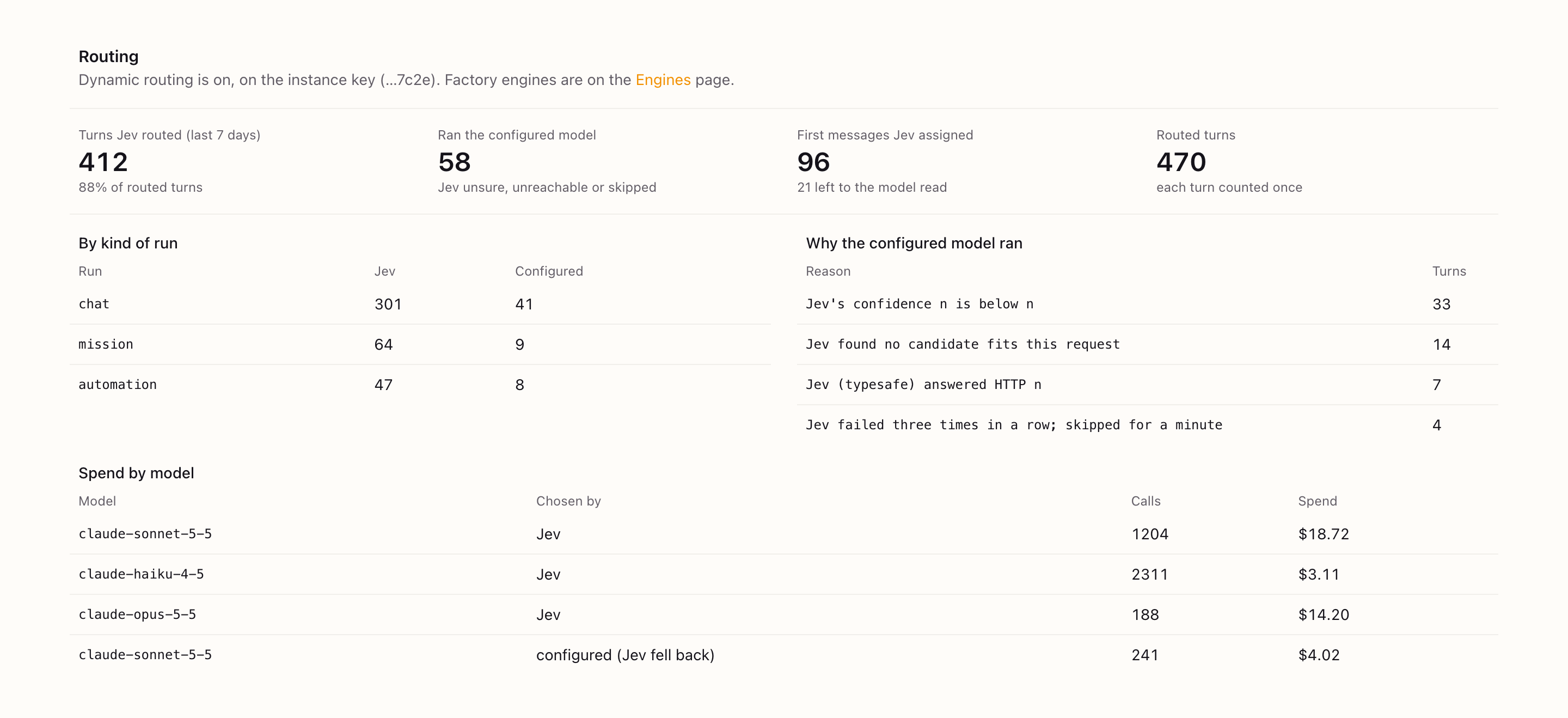
Observability → Routing shows what Jev routed:
- turns Jev routed against turns that ran the configured model;
- the reasons for each fallback;
- first messages Jev assigned;
- spend by model and who chose it.
Every model call of a routed turn carries the decision on its ledger row, and the Engines page does the same for the factory.
A data decision, too
To route a turn, Jev reads the first 2,000 characters of the request and the descriptions of the options. That makes TypeSafe a subprocessor for that content, so adding a key for a client workspace is a data-sharing decision as well as a cost one.
What's next
Jev answers yes/no, choice and score questions with calibrated probabilities. That fits more than routing. On the roadmap in ADR 0006:
- triaging which reviewer edits should become rules;
- a suggestion and risk score on review cards (never an approval);
- a pre-check of factory work against each acceptance line;
- a flag for personal or confidential data in outbound drafts.
Each will be off without a key, fall back on any doubt, and leave the decision with a person.
Get it
Update to v7.18.0 or later, then add a key in System → System Keys (or set TYPESAFE_API_KEY). Remove the key to roll back. Docs: Model routing with Jev.