Vocion 7.0: the model follows the work, and goals run in sprints
Vocion 7.0 lets effort pick the model, so a Deep turn runs on the strongest one and every answer names the model that wrote it. Goals gain sprints: weekly targets and a scorecard the agent logs with evidence.
Status: shipped. #1385 and #1387, cut as v7.0.0. No migration.
Two things people kept asking us: "which model is answering me?" and "how do I run a plan week by week, not just a task?" 7.0 answers both.
The model follows the work
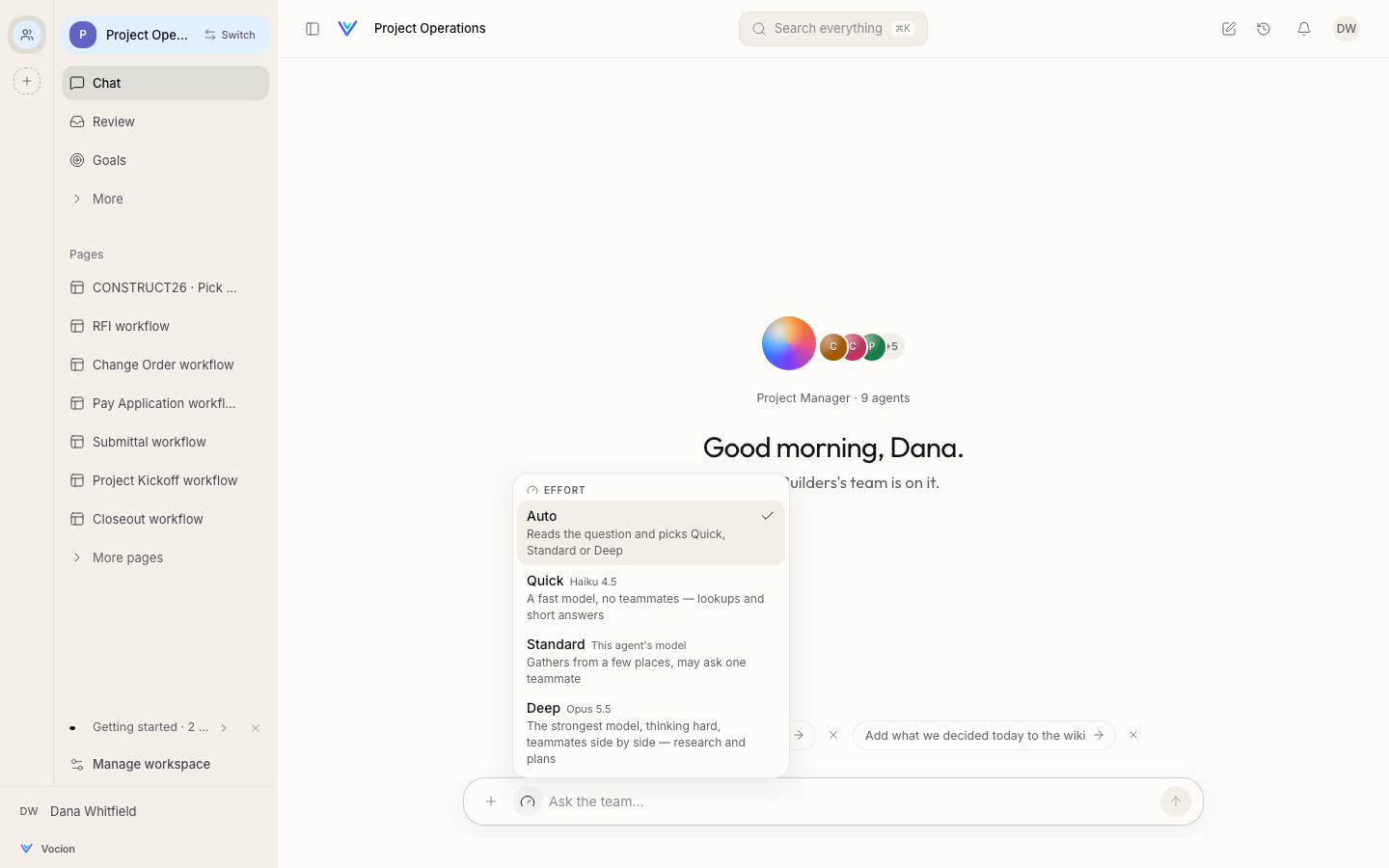
You already choose how hard a turn works: Quick, Standard or Deep, or Auto, which reads the request and picks for you. In 7.0 that same choice picks the model.
- Quick runs on the fast model (Haiku 4.5).
- Standard runs on the agent's own model.
- Deep runs on the strongest model (Opus 5.5), thinking hard, with teammates side by side.
The gauge shows the model beside each level, and the line under every answer names the model that actually wrote it: Deep · Opus 5.5 · 30s. If an answer needs more, Dig deeper asks again one level up. A Standard answer re-runs on the strongest model.
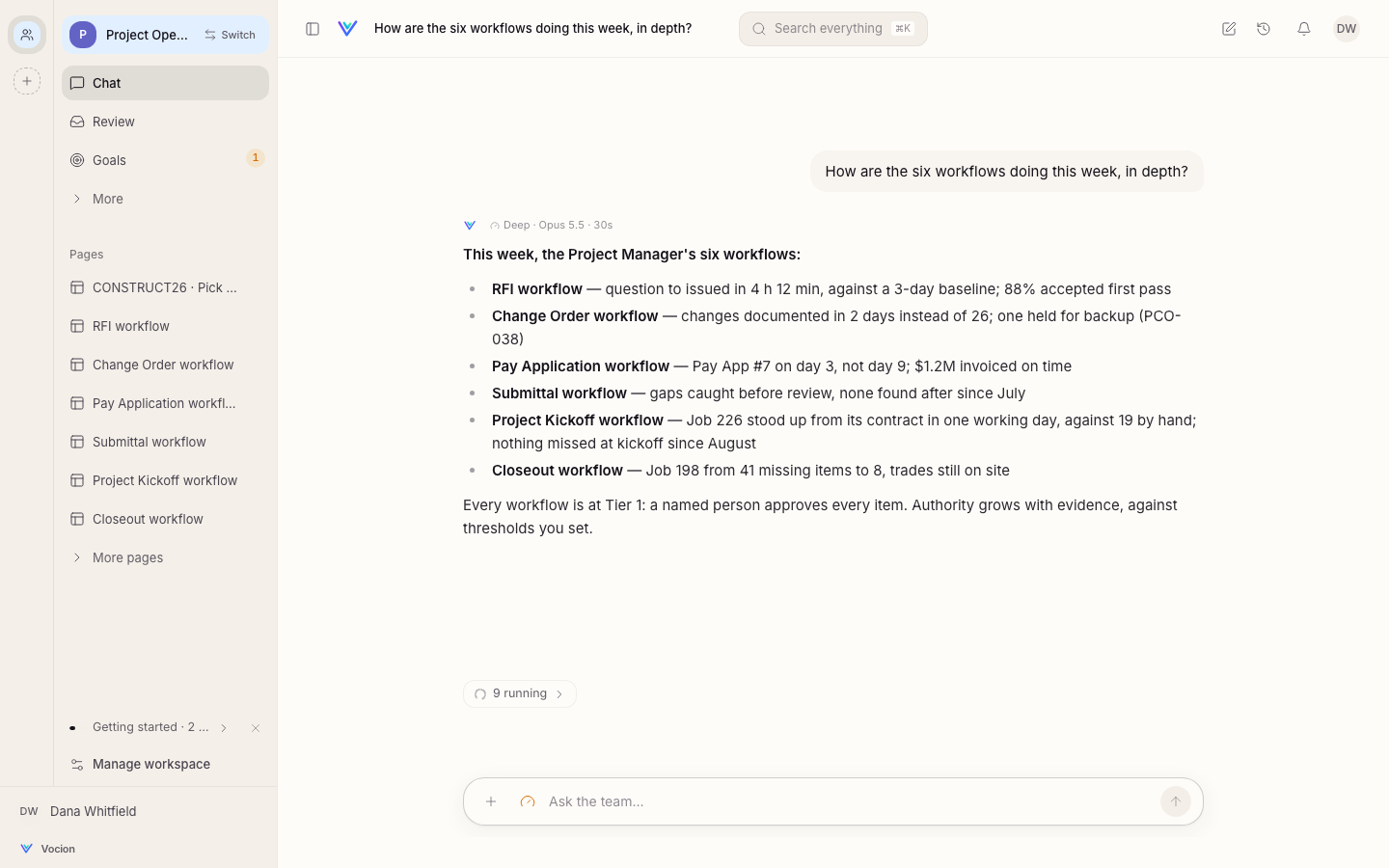
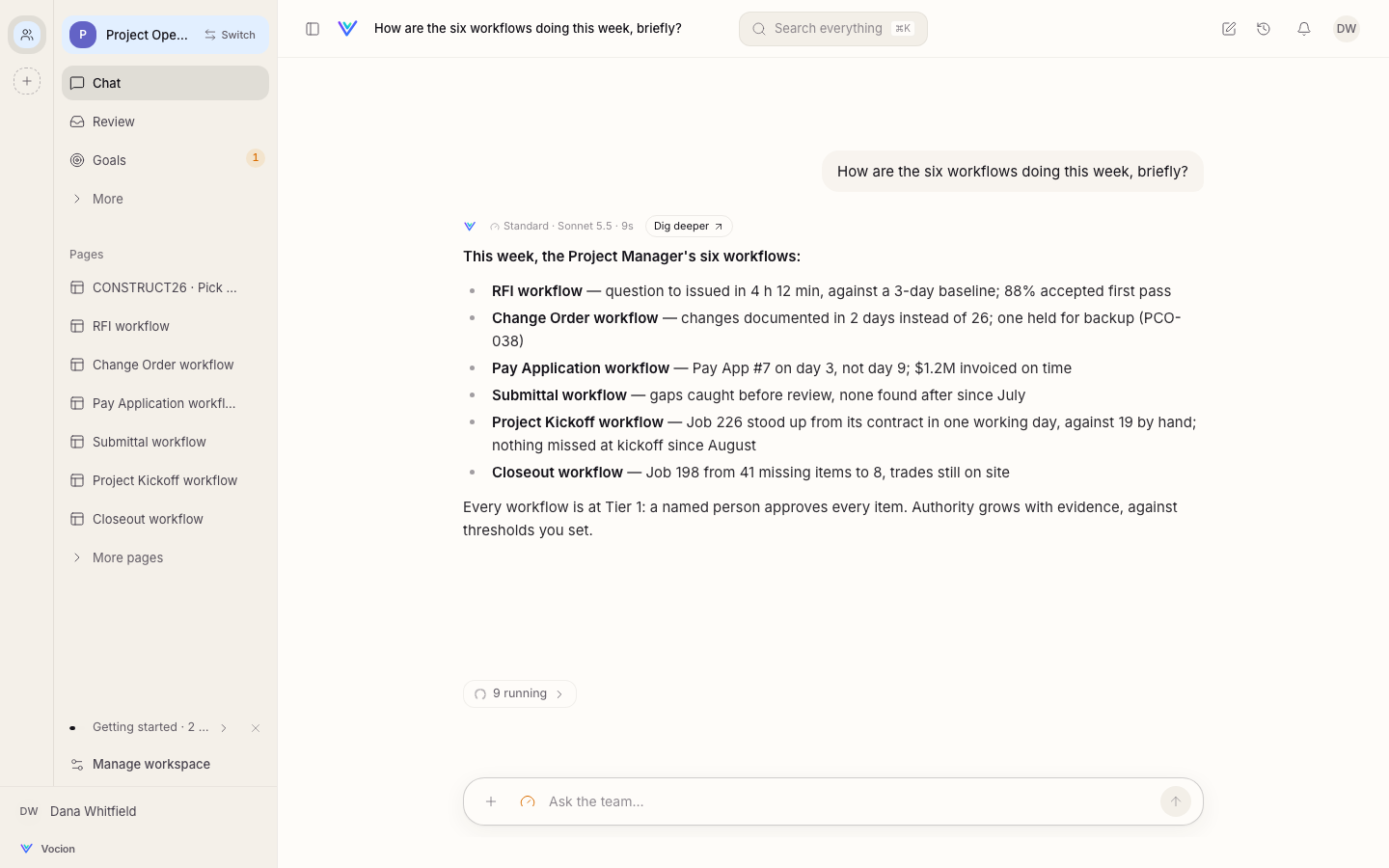
There is still one control. You never pick a model by name, and you always know which one answered. See Effort and models.
Goals run in sprints
A goal can now be a sprint: two to ten weekly targets from a start date to an end date. "Sprint 2, Oct 26 to Jan 23: five daily touches, three discovery calls and one proposal a week."
- A scorecard on the goal. Targets down the side and weeks across: met, missed, or not logged. A week nobody logged is a gap, never a miss.
- The agent logs the week with evidence. Every number says what it was counted from: the meetings, the sent threads, the records. A number you write yourself is locked.
- Progress in one line. Week 3 of 13 · 7 of 10 weekly targets met.
- Re-plan without losing history. Change the targets mid-sprint; a target that keeps its name keeps its weeks.
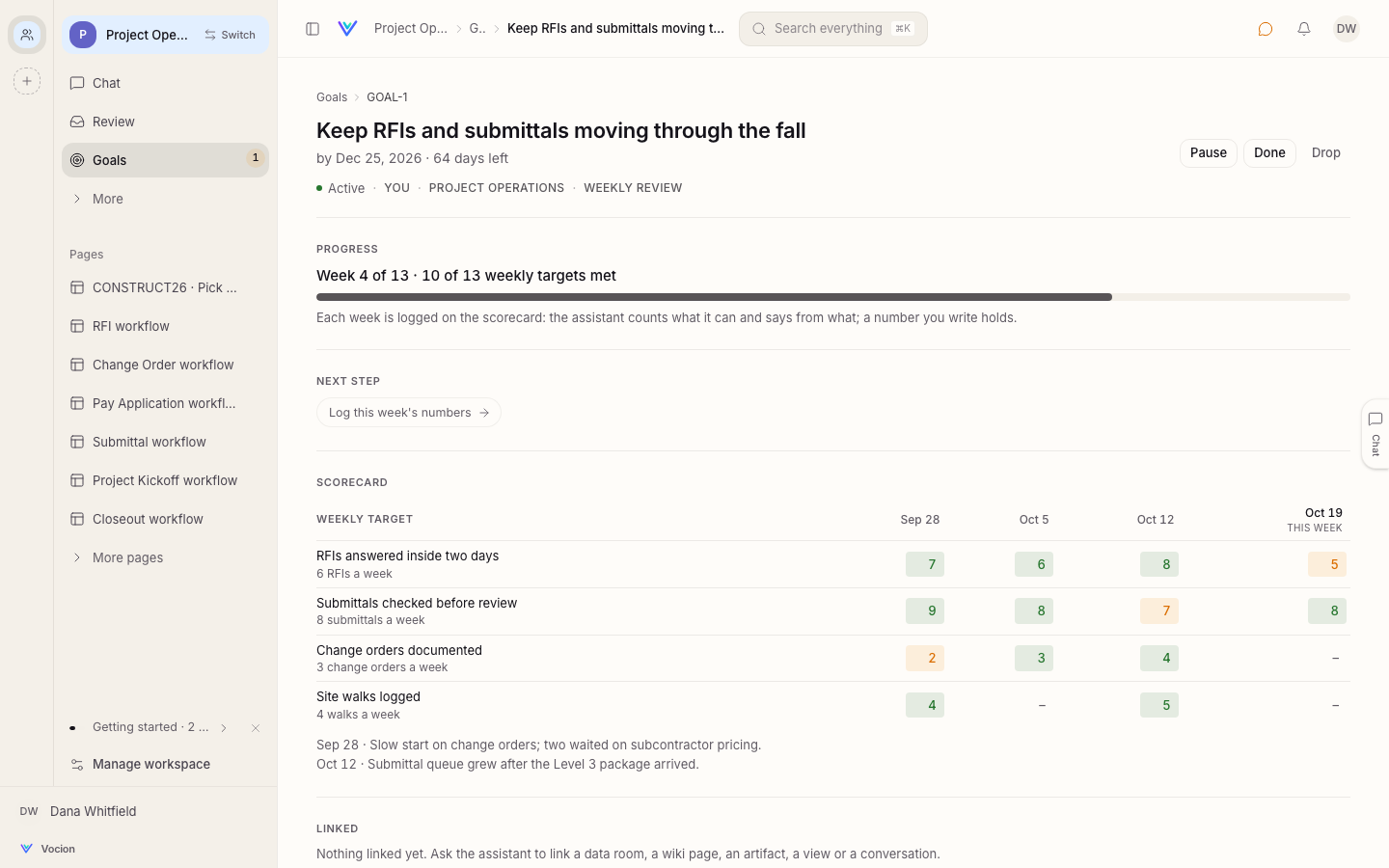
A mission can keep the scorecard for you: a Friday review that reads the week and logs it on the sprint. See Goals and sprints.
Also new this week
- From
v6.4.1, an agent can close a record it finished (set its status to done, closed or dropped), with undo. It says a record is closed only after the change is confirmed.
What changed
This is a major version because Deep turns now change models. Before 7.0 a Deep turn ran on the agent's own model with more thinking. Now it runs on the vendor's strongest model, which costs more per turn. To keep an agent on its own model unless a person picks Deep, give it a default effort (harness.turnEffort: standard) so Auto doesn't choose for it. A deployment can repoint the strongest model with VOCION_MODEL_DEEP_<PROVIDER>.
Get it
Update to v7.0.0 or later. Nothing to turn on: effort and goals are part of every workspace. The runner image line is now 7.x.
7.1: workspace first
v7.1.0 (#1388) changes how you move around. You pick the workspace and the app follows.
- One list of every workspace, in every app. Nothing is filtered by the app you're in, and each row says which apps the workspace adds.
- The rail is this workspace's apps. No grey icons for apps you have somewhere else.
- Each workspace opens where you left it, or in its home app when there's nowhere to return to.
- No dead ends. A link to an app a workspace doesn't have names the workspaces that have it.
See Apps and workspaces.
7.2: see what it costs, and a calmer chat
v7.2.0 and v7.2.1. One migration (0214, the spend ledger).
- What each model call cost, by workspace, agent, person and run. Every call is written to one ledger, so Observability → Spend answers "which agent costs the most this month?" and "what did that run cost?" without leaving the app. The same numbers are at
GET /api/v1/spend(#1394). - Auto keeps drafting and cross-checking off Quick. A turn that drafts something you will send, or checks two or more systems, runs at Standard or above (#1397).
- Background work opens beside the chat in the same side pane as a preview, and they stack: back returns to the one before, close clears them all (#1393).
- The ask card stays in step with the chat (7.2.1, #1399). It folds to its bar while you type, and the bar looks like the card. It follows the ask live and leaves once the ask is settled anywhere else. When the agent revises its recommendation, the card shows Updating… and then the new one, marked Revised, in place of the old.
7.3 and 7.4: your connections come with you, and a cleaner answer
v7.3.0 and v7.4.0. One migration (0215, the two switches below).
- Sign in once, use it in every workspace. A server that answers you as yourself, like Company Knowledge, now works in your own chats across your Org. It only reads, only what your access allows, and the answer says it used your connection. Missions and automations never use it. An admin can turn it off for a workspace (Members' own connections), and you can keep a server to where it's declared from Personal → Connectors (#1402). See Connectors.
- The answer is the agent's own words. "Let me check…" between steps folds into the steps chip, and what a tool's own model writes never shows up as the answer. Tools an agent's instructions name are ready from its first turn (#1400).
- A link to an app a workspace lacks keeps you on the page, with one line above it naming the workspaces that have it (#1403).
- A quieter workspace list (7.4). Each row names only the apps the workspace adds, such as Finance or Software Factory (#1404).