One place to decide
Review and Needs you were two doors onto the same job. They are one now: one list, one detail screen, one action bar, one keyboard map — whatever kind of decision it is. Release notes 2026-09-15 — vocion-core#348.
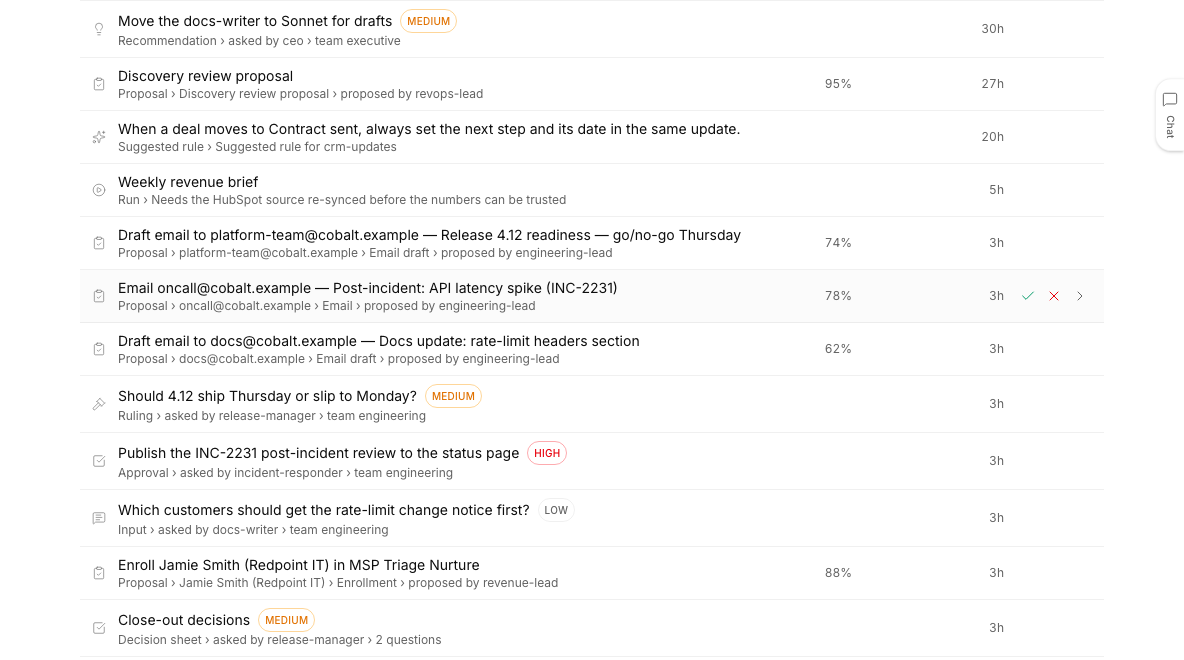
Status: shipped. vocion-core #348 is merged onto the release branch release/2026-09-15-rail (the commit inside it is 28439fe2) and deployed to a deployment we operate. There is no flag — Review stopped being a place. The pull request is still landing on main individually behind that release branch. This is the second release of 2026-09-15; the morning's is here.
Vocion had two screens that asked you to do one job. Review held the actions an agent wanted to take. Needs you held the questions an agent wanted answered, the runs that had stopped, and the rules it wanted to adopt. Both asked the same thing of a person: read the evidence, decide, let the system learn from the decision. The only difference was what was being decided — which is a distinction the software should carry, not you.
They are one surface now. Needs you, at /dashboard/inbox.
One queue. A proposal to enroll someone, a ruling about a ship date, a run that stopped waiting on a re-sync and a rule the system would like to adopt all sit in the same list, oldest first.
What you can do now
Work one list. Every row carries a kind. There are ten of them — proposal, ruling, approval, merge, input, credential, gate, recommendation, run, learning (services/inbox/kinds.ts). Kind chips with counts filter the list, and the filter is URL state, so the view you are looking at is a link you can send.
Read a header that is one line. Where the page used to open with a three-column block — what needs me · what changed · what happens next — it now says one sentence: “13 decisions, oldest waiting 3d.” The format lives in features/dashboard/inbox/inboxMeta.ts.
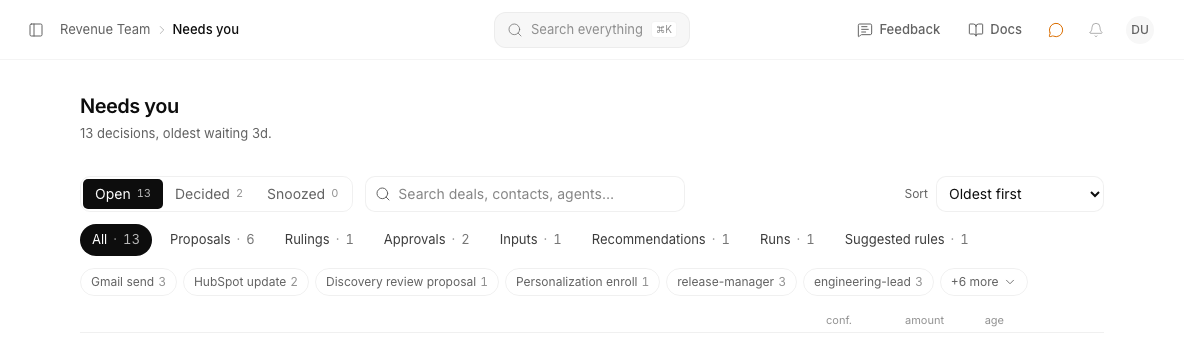 Chips fit one row.
 ChipRow renders a hidden clone of every chip, measures the real widths, and fitChips decides how many fit; the rest fold into a menu. A ResizeObserver re-decides when the window changes. “All” is pinned first and an active chip is never the one that gets hidden.
Open anything and get the same screen. Ten kinds, four shapes of detail. A proposal opens the review card with its drafts editable in place. An ask — that is seven of the ten kinds — opens as tall option rows with the recommended one pre-selected. A stopped run opens as a status page that says why it stopped. A learning candidate opens as the rule itself, editable before you adopt it. All four carry the same breadcrumb, the same meta row, and the same sticky action bar at the bottom of the content column.
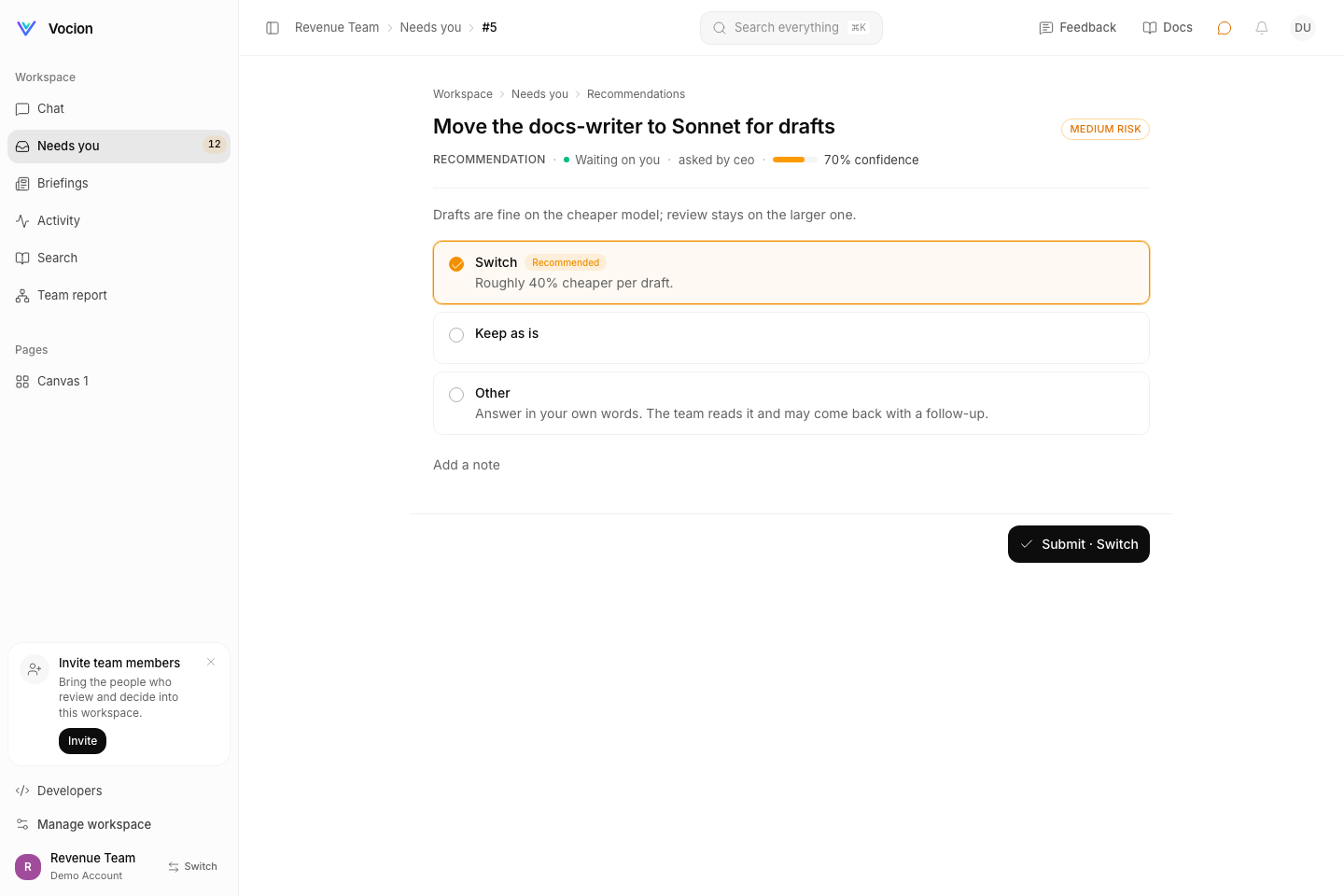 An ask: the options are rows, the recommended one is pre-selected, and “Other” is always there.
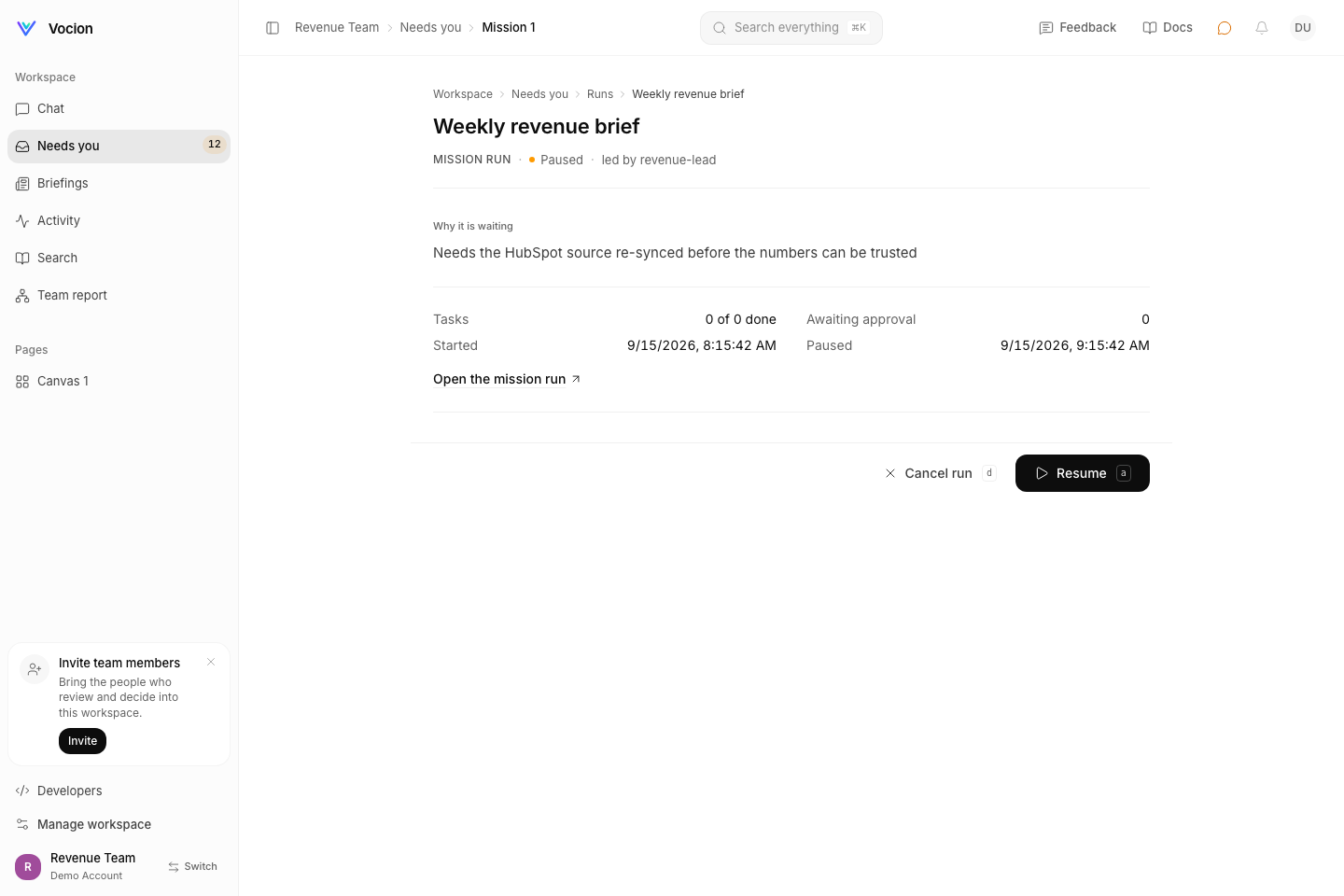 A run: why it is waiting, the facts, and Resume or Cancel in the same bar position as Approve and Decline.
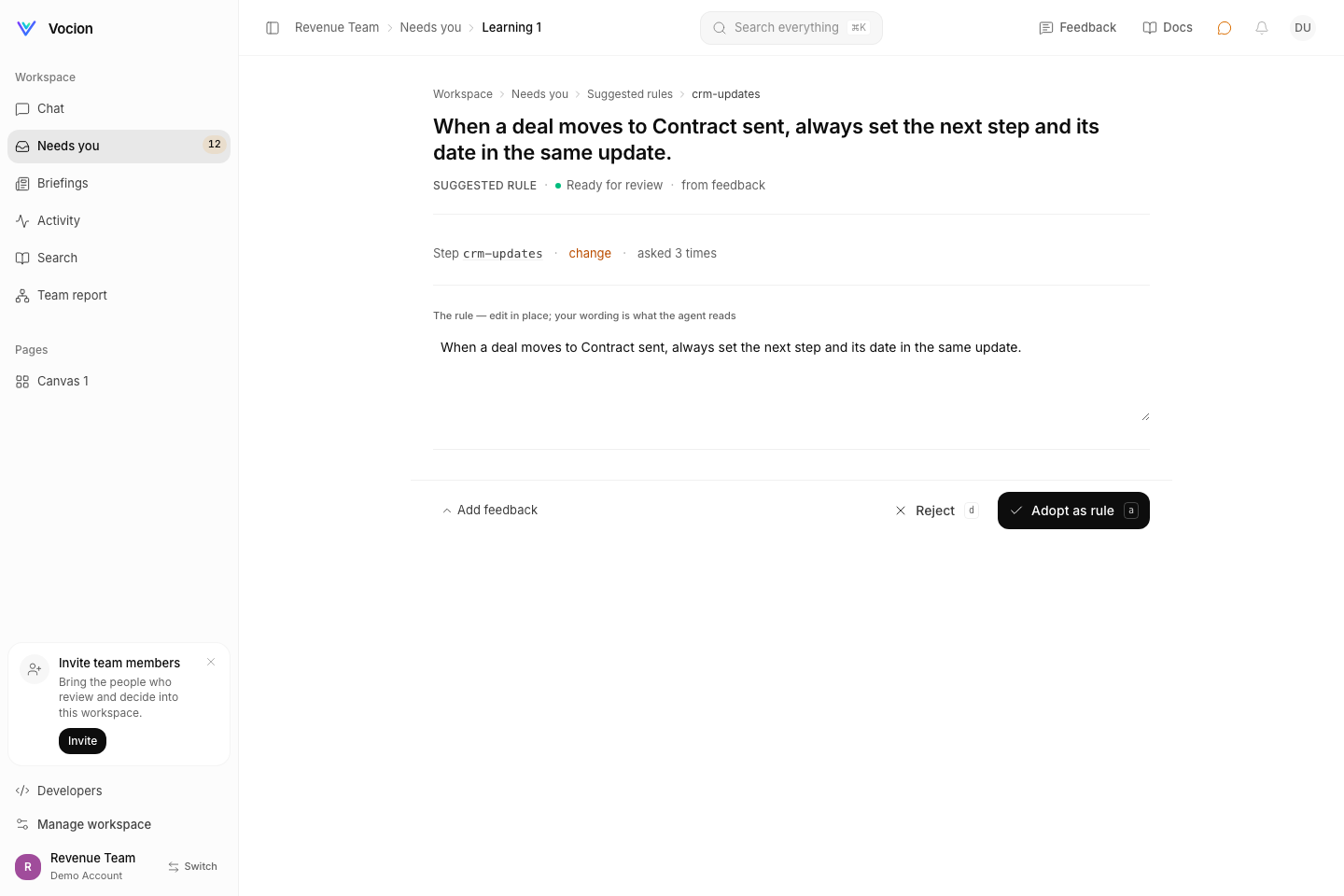 A suggested rule, in the wording the agent will actually read, editable before you adopt it.
Use one keyboard map everywhere. a approves, d declines, s snoozes, j and k walk the queue, ? shows the sheet. Nothing fires while you are typing in a field, and nothing fires while a submit is in flight (features/review/reviewShortcuts.ts).
Keep your old links. /dashboard/review answers with a 308 to /dashboard/inbox?kind=proposal, and an old ?type= parameter is rewritten to ?actionKind=. ⌘K still answers “review”, “queue” and “approve” — the entry is palette-only now, so it does not put a second door back in the sidebar.
Where this lives in the repo
vocion-core#348, shipped on release/2026-09-15-rail (28439fe2).
- Vocabulary and list:
packages/core/src/services/inbox/kinds.ts,services/InboxService.ts - Detail routing:
packages/core/src/services/inbox/inboxRef.ts— a bare number stays an ask, so every mailed and Slacked link keeps working;proposal-123,mission-5,workflow-3,worker-9andlearning-7spell out the rest - Verbs per kind:
packages/core/src/features/dashboard/inbox/decisionVerbs.ts - Chips:
features/dashboard/inbox/ChipRow.tsx,chipFit.ts - Redirect:
features/dashboard/inbox/reviewRedirect.ts - Shared chrome:
features/review/ReviewHeader.tsx,features/dashboard/StickyActionBar.tsx - Guide:
docs/guides/needs-you.md
Not verified end to end: Regenerate needs a live agent pass, and Resume/Cancel was exercised against unit mocks rather than a real paused workflow. The browser test project does not run on the build machine and was not part of this PR's evidence.
Related: Every action tells you what happened and The decision sheet that crashed after you answered it.