Finish what is owed from where you read it
Vocion 7.1 gives every follow-up, to-do and owed touch its verbs: Do it, Done and Drop in the preview, and a one-click Done on records listed under an answer. Each one has Undo.
Status: shipped. #1390, cut as v7.1.0. No migration. On for any object type that says x-owed: true.
A follow-up told you what you owed and who it was for, and then left you to it. The record you opened from a chat answer had nothing to press. Closing it meant finding its page, and an agent asked to close fifteen of them could not. Now the record carries its verbs.
What you can do now
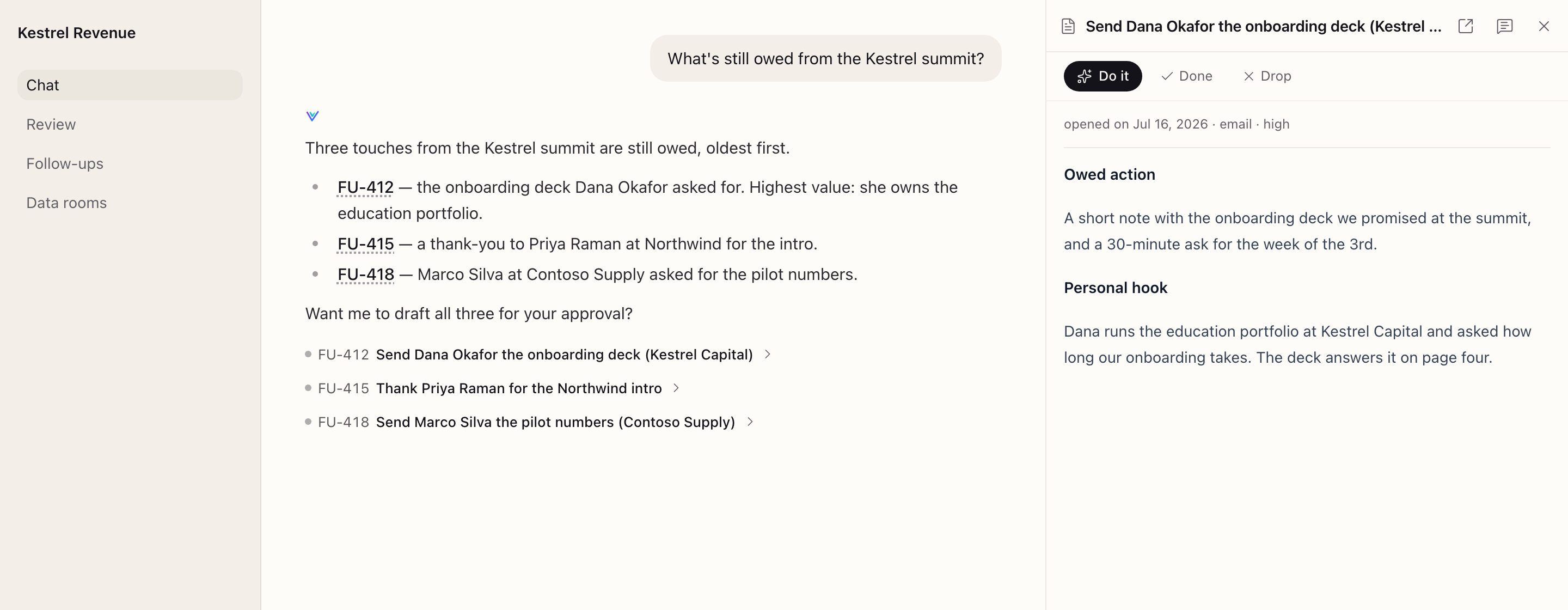
- Do it. Hands the record to the team in your words. The agent reads what the record owes and drafts it. Anything that goes out to someone waits for your approval.
- Done, or Drop. Closes the record with one click and Undo. Each click is on the record's history, the same as an agent's close.
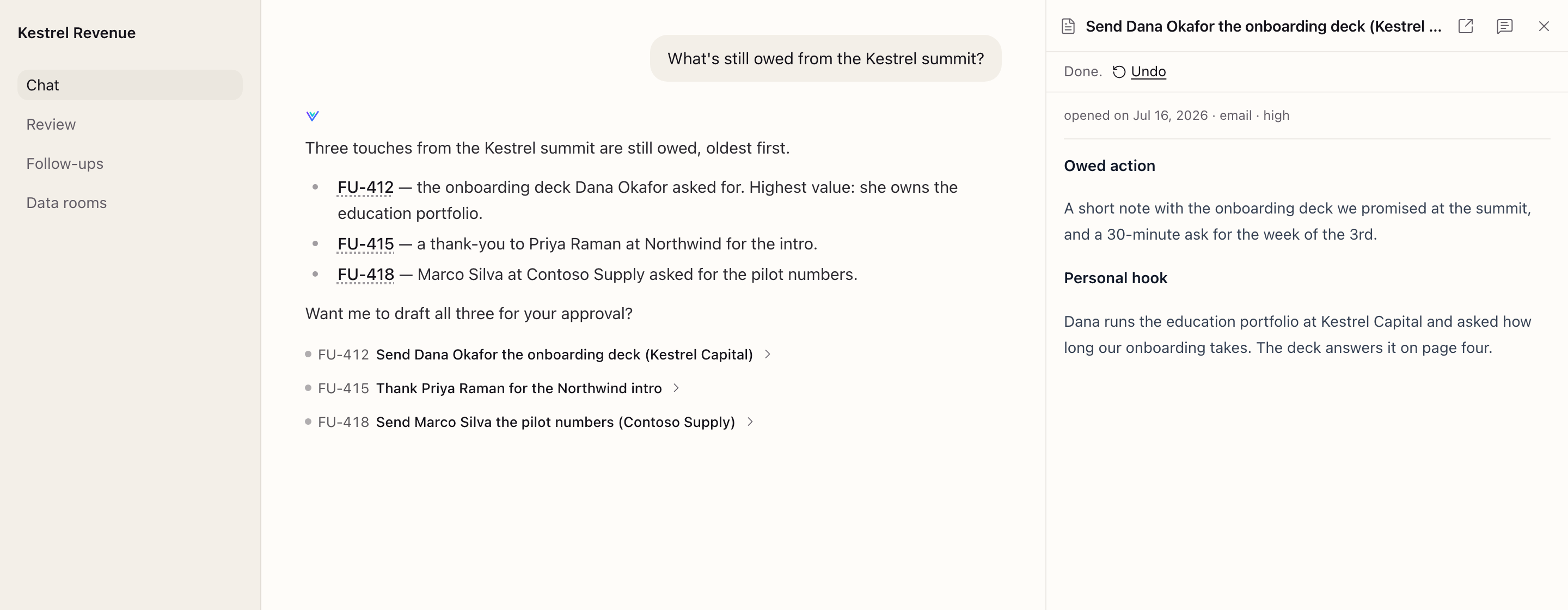
- Mark it done from the answer. Records listed under a chat answer show a ✓ on hover. A finished one says Done or Dropped in words.
- See its age first. The preview leads with when the record was opened. Three months is a different decision from yesterday.
- Reopen it. A finished record offers Reopen, with Undo.
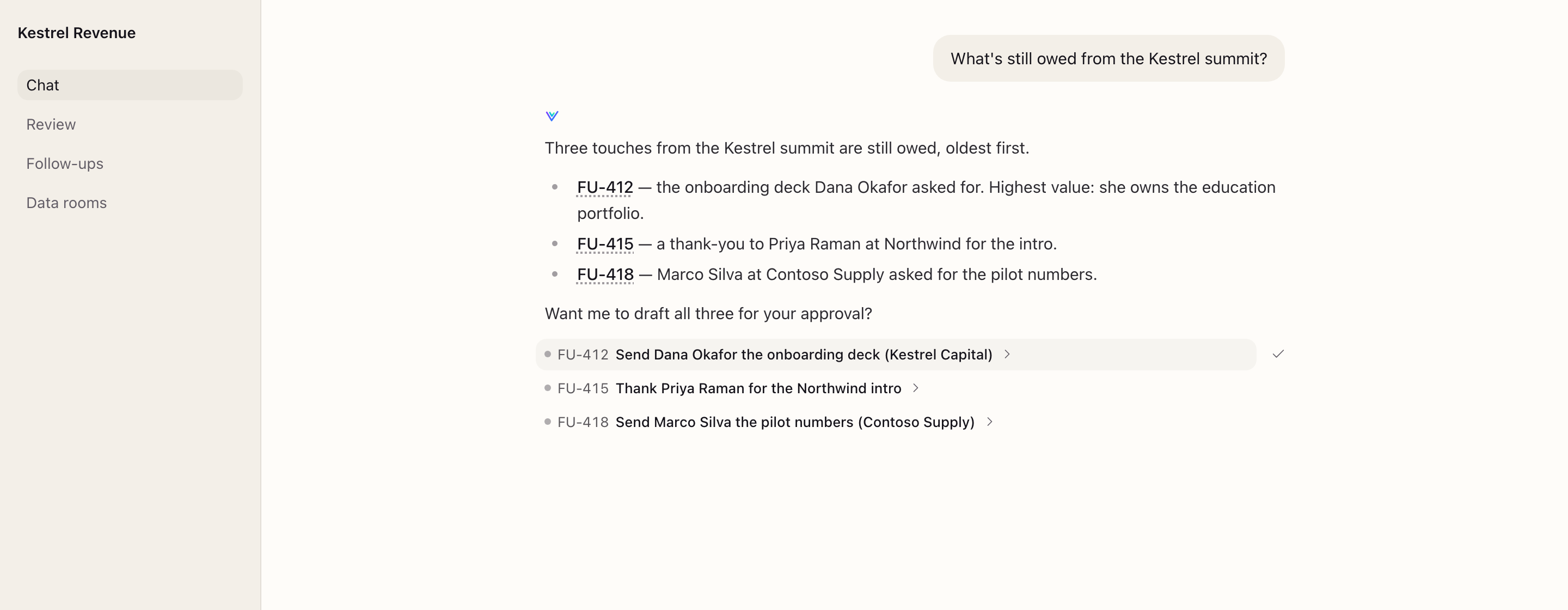
Since v7.2.0 (#1398), a record named in an answer's text, like FU-412 above, has a dotted underline. A click opens it in the preview pane beside the conversation, never in a new tab. ⌘-click or Ctrl-click still opens its page in a new tab. Records that are only proposed, waiting for you in Review, show no Done or Drop (#1396).
Agents close records the same way, through update_object with status (#1386), so "close the summit follow-ups" now actually closes them.
Since v7.3.0: the same bar on the record's page, and proposals decided in place
v7.3.0 (#1401) puts the same bar under the title on the record's own page as well as in the preview.
A record an agent proposed, which used to wait in Review among everything else, now shows Approve and Dismiss where you read it. Approve it and it becomes a follow-up you own, with Do it, Done and Drop.
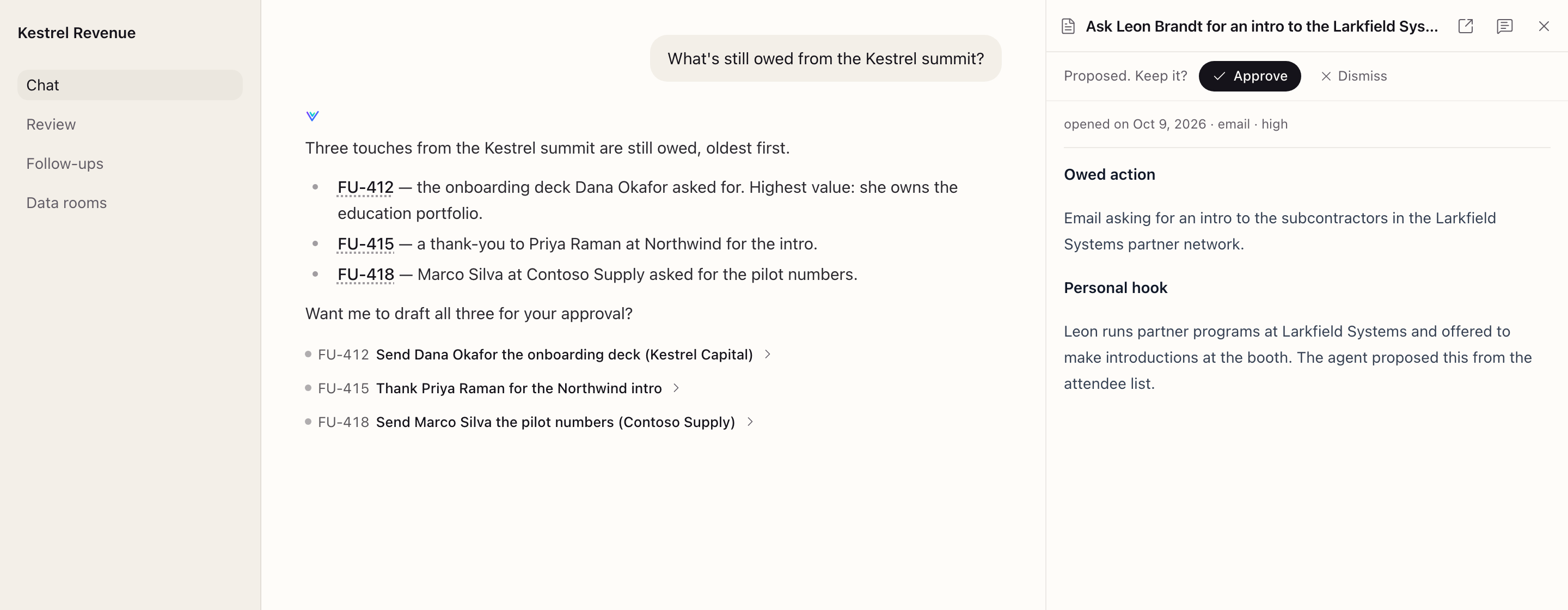
The rule is simple: Do it is the one button that needs the agent, so it opens the sidebar chat with the record attached. Every other button only changes the record, and does it in place, with Undo.
Since v7.5.0: snooze, and the agent reads a record's state right
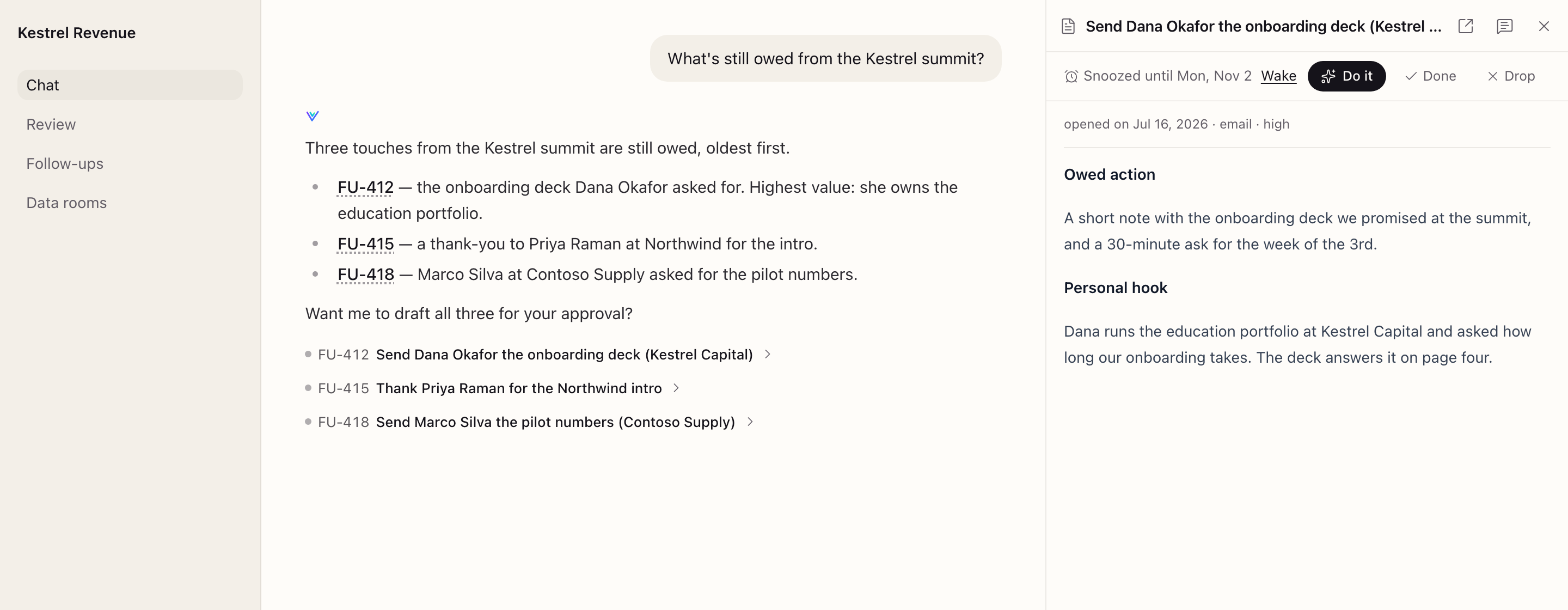
v7.5.0 (#1411) adds Snooze to the same bar. Put a follow-up off until tomorrow, next Monday or two weeks out, all at 9am your time, with Undo. You can also tell the agent "snooze it till Monday".
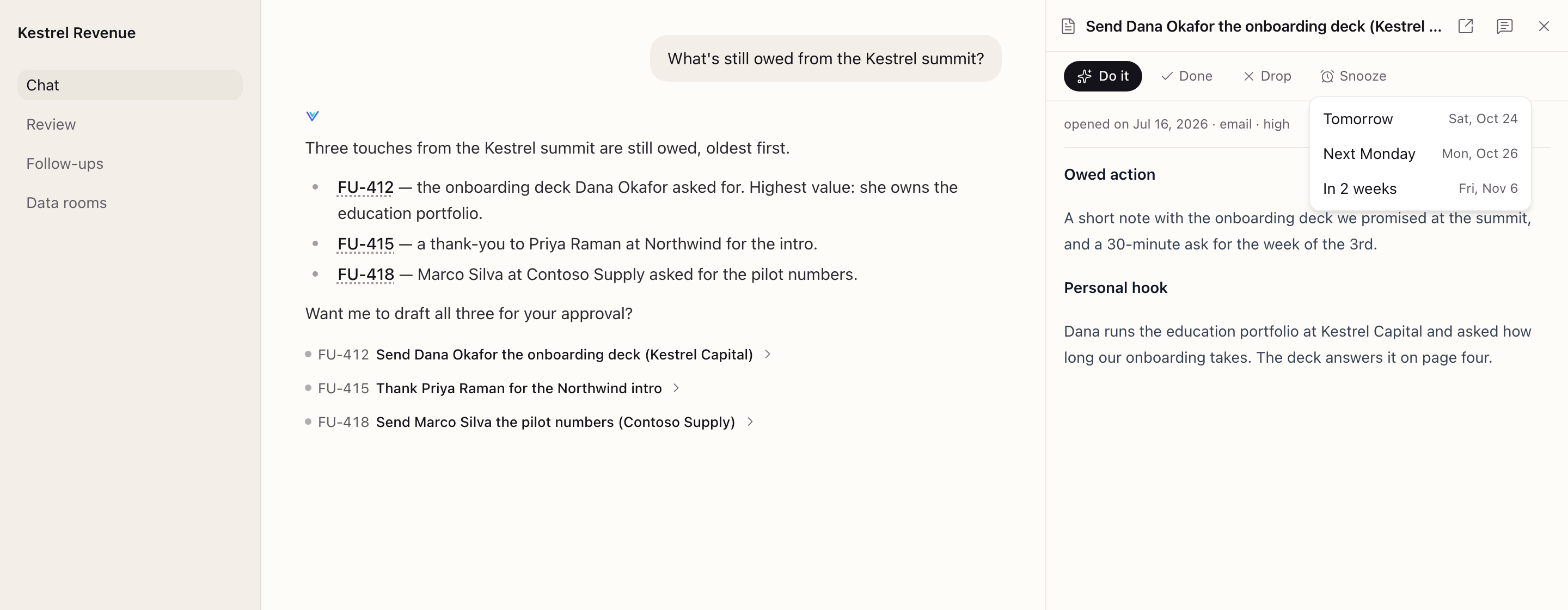
While a follow-up is snoozed, the bar says so and offers Wake, and the agent leaves the follow-up alone until the date. A snooze is only a date: once it passes, the follow-up is open again, so nothing has to wake it.
Since v7.4.1 (#1409), the agent also gets each record's state in plain words: open, snoozed until a date, proposed and waiting in Review, dismissed, or finished. It no longer calls a proposal by a field that only sounds like a status, such as "to contact".
Where to find it
- Open any follow-up from a chat answer, a list, search or its own page, and the buttons sit under the title.
- Docs: Things owed.
Get it
Update to v7.1.0 or later and add x-owed: true to the schema of each type whose records are things to finish:
# objects/follow-up/type.yaml
schema:
  type: object
  x-owed: true
Then apply the workspace. Other types are unchanged.